


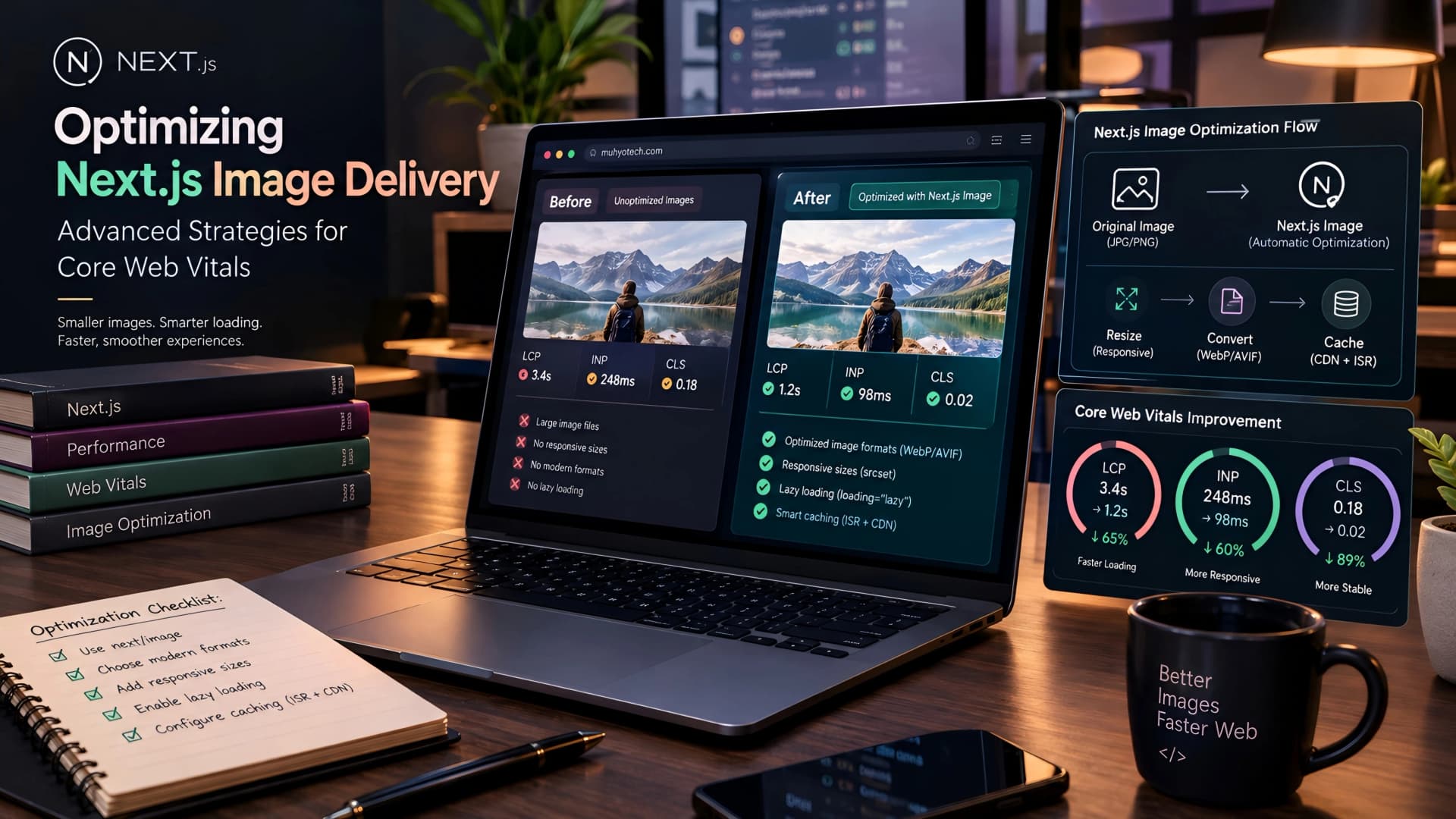
One of the most persistent battles in web performance involves images. They are essential for engaging users, yet they frequently become the primary culprits behind slow page loads and frustrating user experiences.
For Next.js applications, unoptimized images directly sabotage critical Core Web Vitals like Largest Contentful Paint (LCP) and Cumulative Layout Shift (CLS).
The Core Problem: Unoptimized Images and Core Web Vitals
Large, unoptimized images are a heavy burden. They consume significant bandwidth, delay the rendering of critical page content, and can cause jarring layout shifts as they load.
This directly impacts LCP, which measures how long it takes for the largest content element on the screen to become visible. It also contributes to CLS when images load in without reserved space, pushing other elements around.
At Muhyo Tech, we often see these issues as the first performance bottlenecks during audits. Addressing them systematically is non-negotiable for a high-performing site.
Next.js Image Component: A Strong Foundation
Next.js offers a powerful next/image component designed to tackle many common image optimization challenges out of the box. It handles responsive sizing, lazy loading, and format conversion.
By default, it generates multiple image sizes and serves the most appropriate one based on the user's device. It also intelligently uses modern formats like WebP when supported by the browser.
However, simply dropping in next/image isn't always enough for truly advanced scenarios or complex image delivery pipelines.
Beyond the Basics: Advanced Optimization Strategies
Achieving truly stellar Core Web Vitals often requires pushing past the default settings and integrating more advanced techniques. This involves a strategic approach to image formats, responsive delivery, and efficient loading.
Our goal is always to deliver the smallest, highest-quality image possible, exactly when and where it's needed.
Modern Image Formats: WebP and AVIF
Serving images in modern formats like WebP or AVIF can dramatically reduce file sizes compared to traditional JPEGs or PNGs, often without a noticeable loss in visual quality. The next/image component handles this conversion automatically in many cases.
For static images or highly customized scenarios, pre-converting assets during the build process can offer more control. This ensures that even images not processed by next/image benefit from these efficiencies.
Responsive Images and "Sizes" Attribute
While next/image generates multiple sizes, explicitly defining the sizes attribute is crucial for optimal performance, especially for LCP. The sizes attribute tells the browser exactly how wide the image will be at different viewport breakpoints.
This allows the browser to select the most appropriate source image from the srcset even before layout calculations are complete. Without it, the browser might download a larger image than necessary, wasting bandwidth.
For critical LCP images, we ensure the
sizesattribute accurately reflects the image's display dimensions. This is a subtle but powerful optimization often overlooked.
Prioritizing Critical Images with "Priority"
The priority prop on next/image is a game-changer for LCP. Marking an image with priority tells Next.js to preload that image, preventing it from being lazy-loaded.
Use this sparingly, only for images that are above the fold and critical to the user's initial experience. Overusing it can negate its benefits by loading too many non-critical assets early.
Leveraging External CDNs for Global Delivery
While next/image does a lot locally, integrating with a Content Delivery Network (CDN) like Cloudinary, Imgix, or even a custom setup on AWS S3/CloudFront takes image delivery to the next level. CDNs cache images geographically closer to users, reducing latency.
Many CDNs also offer advanced on-the-fly optimization, transformation, and format conversion features. This offloads processing from your Next.js server, making your application faster and more scalable.
Our approach at Muhyo Tech often involves configuring next/image to use a custom image loader pointing to a CDN. This combines the best of Next.js's component intelligence with global delivery speed.
Common Pitfalls and Production Considerations
Even with powerful tools, mistakes happen. One common pitfall is not setting appropriate width and height props on next/image, which prevents the browser from reserving space and leads to CLS.
Another is relying too heavily on default configurations without understanding the impact on specific page layouts. Each image's role on the page should inform its optimization strategy.
For production deployments, carefully monitor LCP and CLS metrics. Tools like Lighthouse and Google PageSpeed Insights provide invaluable feedback on image performance. If you need help with your website speed optimization, we're always available to help diagnose and implement these improvements.
The Business Value: Beyond Just Page Speed
Optimizing images for Core Web Vitals isn't just about technical scores; it translates directly into tangible business value. A faster, smoother website enhances user satisfaction, which improves engagement and conversion rates.
Better LCP and CLS scores also positively impact SEO rankings, making your site more discoverable. This leads to increased organic traffic and a stronger brand perception.
Investing in robust image optimization is an investment in your entire digital presence. It ensures your Next.js application delivers a consistent, high-quality experience, from initial load to ongoing interaction. For those looking to build new, performant applications, our Next.js website development services integrate these principles from the ground up.