


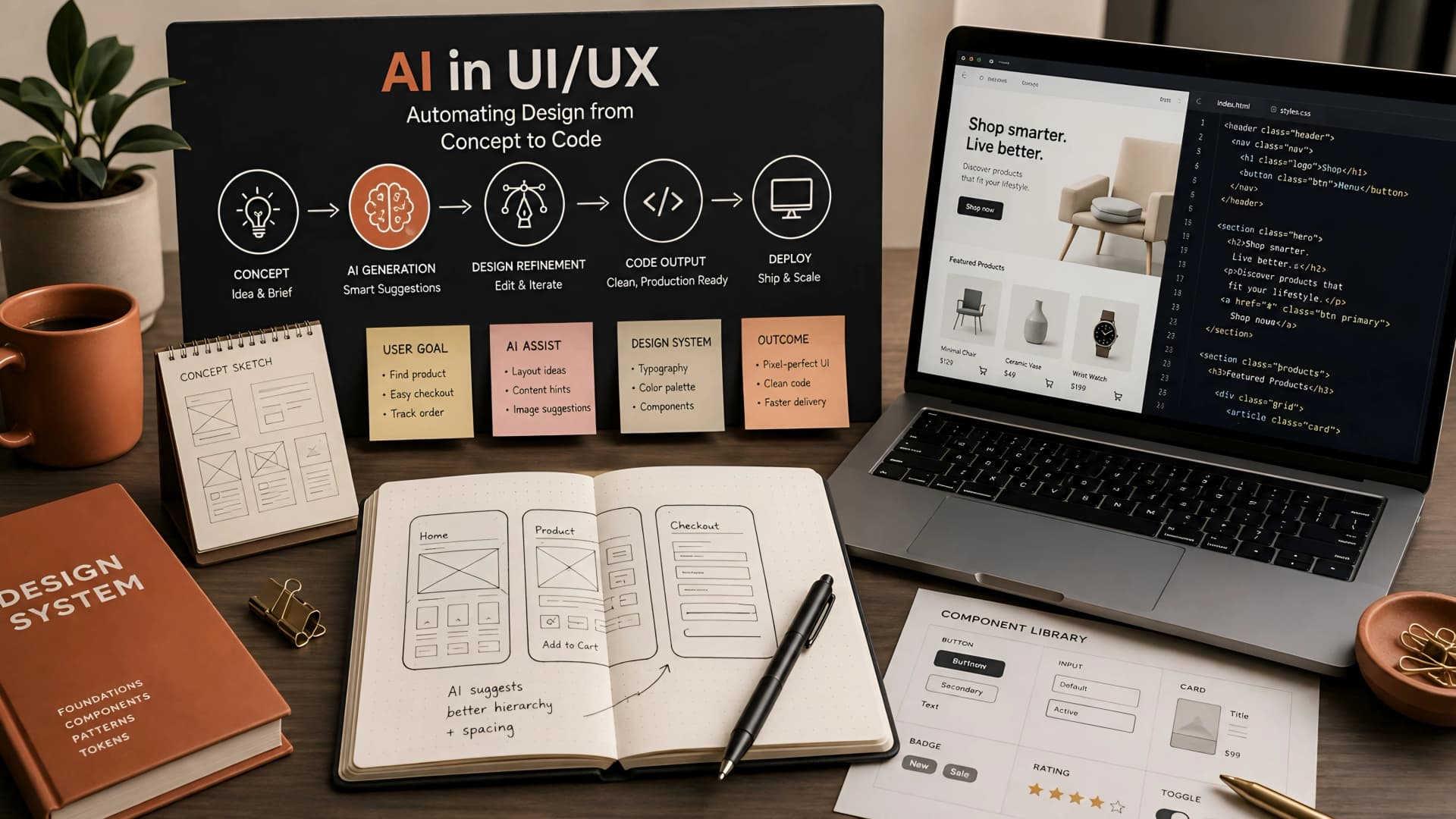
The UI/UX design process, while crucial, can often become a bottleneck in web development. Iteration cycles, manual asset creation, and ensuring consistency across components consume valuable time. This is a common pain point we've observed, delaying project timelines and straining design resources.
Founders and product managers frequently ask how to accelerate this phase without sacrificing quality. The answer increasingly points towards AI-powered tools and methodologies, transforming how we approach design from initial sketches to production-ready components. This article builds on our foundational guide, AI in Web Development: An Engineering Guide to Boosting Efficiency and Innovation, by focusing on its application in UI/UX.
The Core Problem: Manual Iteration and Inconsistency
Traditional UI/UX design involves significant manual effort. Designers spend countless hours on wireframing, prototyping, and meticulously detailing every interaction. This labor-intensive process makes rapid iteration difficult, especially when adapting to new requirements or user feedback.
Moreover, maintaining design consistency across large projects or multiple teams is a constant challenge. Small deviations can creep in, leading to a fragmented user experience and increased technical debt down the line. These issues directly impact project velocity and the overall user perception of a product.
AI-Powered Wireframing and Prototyping
One of the most immediate impacts of AI in UI/UX is the automation of initial design stages. AI-powered tools can generate wireframes and low-fidelity prototypes from simple text descriptions or even hand-drawn sketches. This capability dramatically speeds up the ideation phase, allowing designers to explore more concepts in less time.
These tools leverage machine learning models trained on vast datasets of existing UI patterns and design principles. They can suggest layouts, component placements, and even user flows based on the functional requirements provided. This doesn't replace human creativity but rather augments it, handling the tedious groundwork.
Intelligent Design System Generation and Maintenance
Establishing and maintaining a robust design system is fundamental for scalable web development. AI now assists in generating entire design systems, including components, typography, color palettes, and spacing rules, based on brand guidelines or existing visual assets. This ensures consistency from the outset.
Beyond initial generation, AI can actively monitor a design system for inconsistencies or deviations. It can suggest improvements, automatically update components across mockups, and even generate code snippets for frontend developers. This significantly reduces the overhead associated with design system governance.
Architectural Considerations for AI-Driven Design Workflows
Integrating AI into a design workflow isn't just about picking a tool; it requires thoughtful architectural planning. We often look for solutions that offer robust API access, allowing for seamless integration with existing design software like Figma or Sketch, and development environments.
Data privacy and security are paramount, especially when design assets contain sensitive business logic or user data. We prioritize tools that offer on-premise deployment options or strong encryption and access controls for cloud-based solutions. Performance and scalability of the AI models themselves also factor into our choices, ensuring the tools can keep up with project demands without introducing new bottlenecks.
Impact on Frontend Development and Business Value
The benefits of AI UI/UX design automation extend directly to frontend development and overall business value. Faster design cycles mean developers receive high-fidelity mockups and even generated code earlier. This accelerates development, reduces back-and-forth between design and engineering, and ultimately leads to quicker launches.
For businesses, this translates to reduced design time and improved consistency in user interfaces. A cohesive UI/UX enhances user trust, lowers abandonment rates, and strengthens brand identity. By streamlining these processes, teams can focus more on innovation and less on repetitive tasks, leading to better product outcomes and stronger lead generation pipelines.
Navigating Trade-offs and Best Practices
While AI offers immense potential, it's crucial to acknowledge the trade-offs. Over-reliance on AI can sometimes lead to generic designs that lack a unique human touch or deep contextual understanding. The 'black box' nature of some AI models can also make debugging or fine-tuning specific design outputs challenging.
At Muhyo Tech, we advocate for a collaborative approach: AI as a co-pilot, not a replacement. Human designers remain essential for strategic thinking, empathy, and creative problem-solving. We use AI to automate the mundane, freeing up designers to focus on complex user problems and truly innovative solutions. This balance ensures that while we gain efficiency, we never lose the human-centric focus that defines great UI/UX.
Conclusion
AI UI/UX design automation is rapidly evolving, offering powerful capabilities from intelligent wireframing to automated design system generation. By carefully integrating these tools and understanding their architectural implications, teams can significantly streamline their design workflows and accelerate development cycles. The goal isn't just speed; it's about achieving greater consistency, reducing manual effort, and empowering designers to focus on high-value creative work. This strategic adoption of AI directly contributes to faster launches, more reliable web apps, and a better overall user experience.