


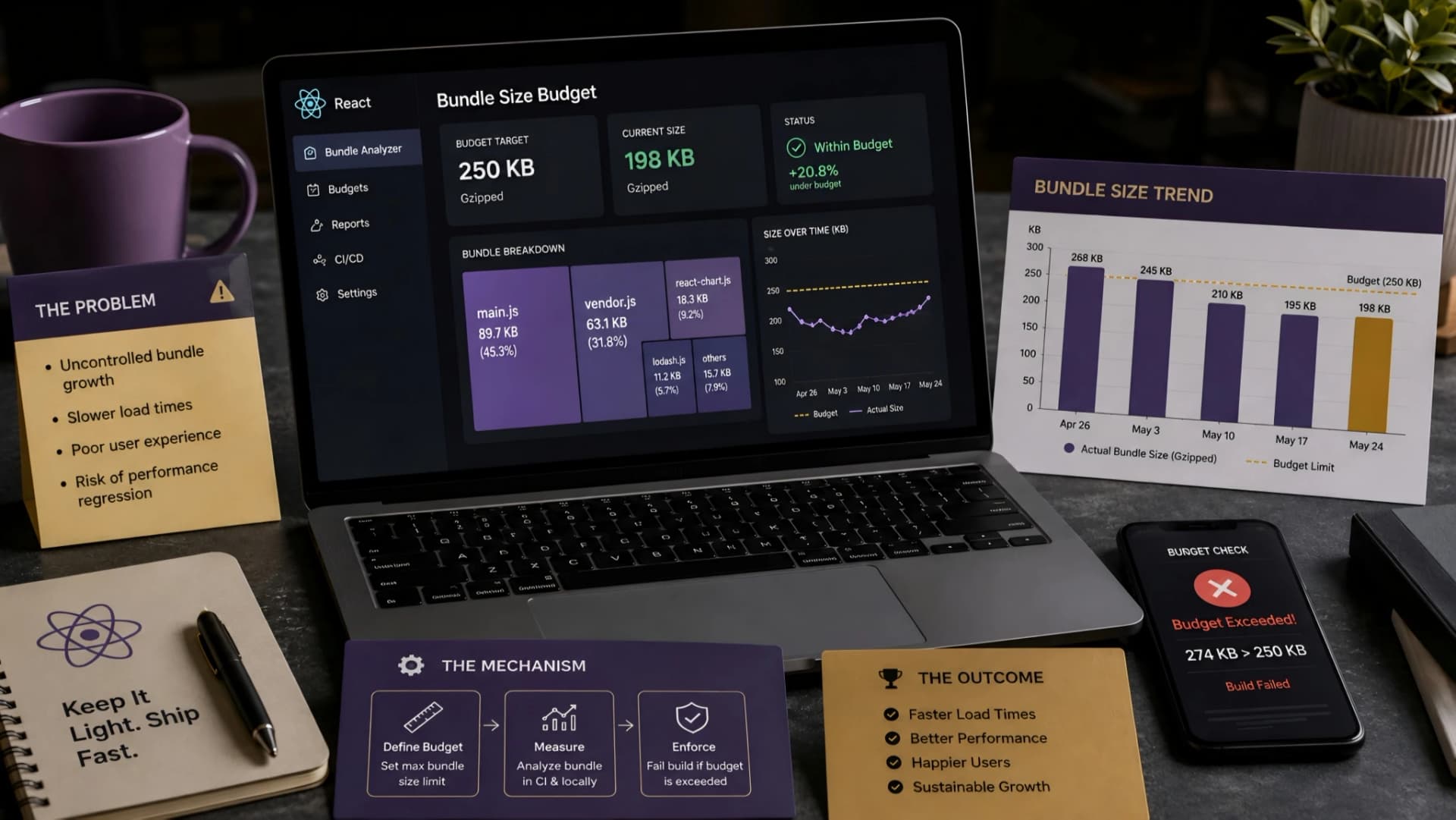
A slow-loading React application can feel like a silent drain on user engagement. Often, the culprit is an ever-growing JavaScript bundle size, creeping up with every new feature and third-party library.
This unchecked growth directly impacts initial page load times, leading to frustrated users and potentially higher bounce rates. Establishing a React bundle size budget is a proactive engineering response to this common problem.
Why Bundle Size Budgets Matter for React Applications
Ignoring bundle size is a common oversight that leads to real business pain. Larger JavaScript bundles mean more data for users to download, longer parse times, and slower execution on the client's device.
This directly translates to a poor user experience, especially for those on slower networks or less powerful devices. For businesses, this impacts everything from conversion rates to SEO rankings, as Core Web Vitals increasingly factor into search algorithms.
At Muhyo Tech, we've learned that performance isn't a feature to add later; it's an architectural decision. Proactively managing bundle size is a cornerstone of building robust, scalable React applications that deliver real value from day one.
Defining Your Initial React Bundle Size Budget
Setting an initial budget isn't about pulling a number out of thin air. It requires understanding your application's current state and target audience.
A common starting point for a compressed JavaScript bundle is 100-170KB for the initial load, with subsequent chunks ideally under 50KB. However, this can vary significantly based on application complexity and target demographics.
Analyze your current bundle using tools like Webpack Bundle Analyzer or Rollup Visualizer. This provides a baseline and highlights the largest contributors to your current size, informing realistic budget targets.
Implementing Budgets with Build Tools: Webpack and Rollup
The most effective way to enforce bundle size budgets is directly within your build process.
Both Webpack and Rollup offer powerful configurations to set performance hints and hard limits. These tools can warn or even error out builds if defined thresholds are exceeded, preventing regressions before they hit production.
Webpack Configuration for Performance Budgets
Webpack's performance configuration is your primary tool here. You can set maxEntrypointSize and maxAssetSize to define limits for your initial entry point and individual assets, respectively.
You can also configure hints to 'warning' or 'error'. We often start with warnings in development and enforce errors in production builds to prevent accidental bloat.
module.exports = { // ... performance: { hints: 'error', // or 'warning' maxEntrypointSize: 200 * 1024, // 200 KB maxAssetSize: 100 * 1024, // 100 KB assetFilter: function(assetFilename) { return assetFilename.endsWith('.js'); } }}Rollup.js and Budget Enforcement
While Rollup doesn't have a built-in performance option like Webpack, you can achieve similar results using plugins or custom scripts.
Plugins like rollup-plugin-size or integrating a custom check in your CI/CD pipeline after Rollup generates the bundles are effective strategies. This gives you granular control over how and when bundle sizes are checked.
Integrating Budget Monitoring into CI/CD Pipelines
A budget is only as good as its enforcement. Integrating bundle size checks into your Continuous Integration/Continuous Deployment (CI/CD) pipeline is crucial.
This automates the monitoring process, ensuring that every code change is validated against your performance budget before deployment. Tools like Lighthouse CI or custom scripts can be used to compare bundle sizes against a baseline or a predefined limit.
If a build exceeds the budget, the pipeline can fail, alerting developers immediately. This prevents performance regressions from ever reaching your users, maintaining a consistent experience.
Strategies for Staying Within Budget
Even with budgets in place, developers need strategies to keep bundle sizes lean. Code splitting is paramount, allowing you to load only the JavaScript needed for a specific route or component.
Lazy loading components and routes, dynamic imports, and aggressive tree-shaking are essential techniques. Regularly review your dependencies for alternatives that offer similar functionality with a smaller footprint.
It's a continuous process, not a one-time fix. Regularly auditing your dependencies and understanding their impact on bundle size helps you make informed decisions.
The Business Value: Faster, More Reliable React Apps
Implementing and monitoring a React bundle size budget isn't just an engineering best practice; it delivers tangible business value. Faster initial page loads lead to improved user satisfaction, lower bounce rates, and better conversion.
It reduces bandwidth consumption for your users, making your application more accessible globally. Crucially, it contributes directly to stronger Core Web Vitals scores, enhancing your SEO and discoverability.
For a deeper dive into establishing broader performance goals, refer to our foundational guide on Implementing Performance Budgets in React: An Engineering Guide to Sustainable Web Performance. This proactive approach to performance, especially around bundle sizes, is a key component of the robust, scalable web applications we develop at Muhyo Tech.